
Ben Nevis Climb 2008
Ben Nevis is the highest mountain in Great Britain and this Easter weekend the dude and I climbed it!
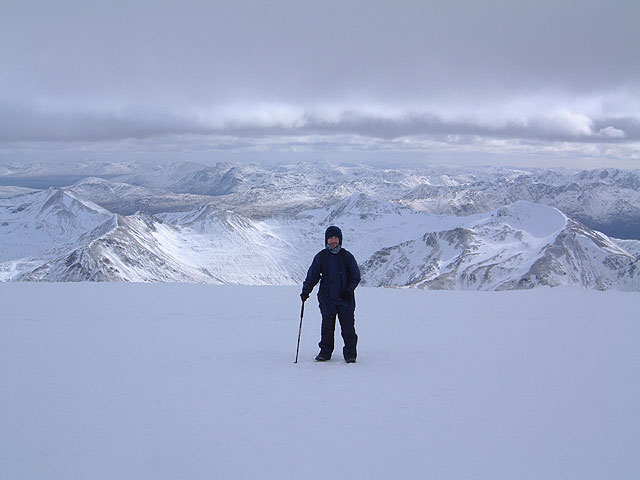
At the summit
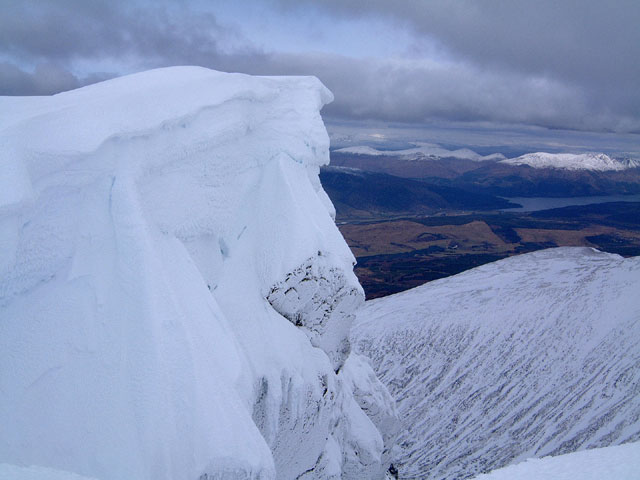
Danger: Crevasse
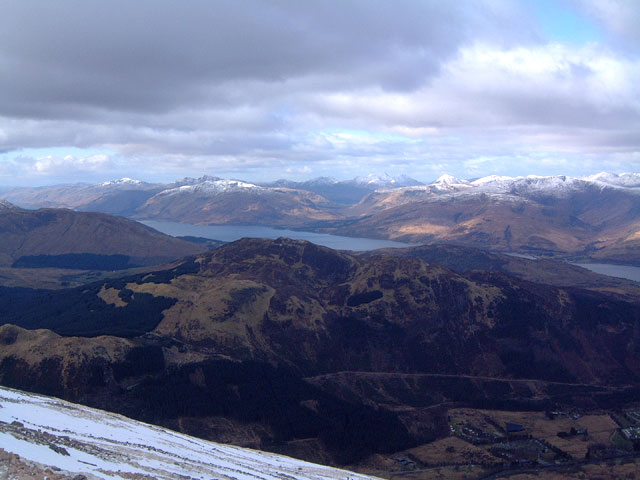
Awesome view
Preparation: This is not the kinda thing I normally do so in preparation I'd been walking up to 4 miles most nights of the week for a couple of months. Where I live is notoriously flat so in the absence of any hills I'd also been stair climbing to build up some strength in my legs.
The Trip: We took turns in driving the 300 miles up to Scotland and set off towards midnight to avoid traffic. At about 6am we arrived at Fort William campsite and had a snooze for the hour or so until the site opened and then checked in. Right at the base of Ben Nevis, Fort William campsite is a great place to stay, complete with shower blocks and a shop. Its also clean and well looked after. In no time we'd set up the tent and spent most of the day sleeping off the long drive we'd taken.
Clothing: Easter 2008 was set exceptionally early towards the end of March and the weather was very cold. I wore thick socks, walking boots, jeans (not recommended but...) with waterproof trousers on top, thermal t-shirt and two tops, waterproof coat with hood and woolen gloves, hat and a scarf.
Equipment and Food: I took a rucksack which carried 2 bananas, 2 large bars of chocolate, a plastic bottle of Lucozade drink, my camera, waterproof poncho for emergencies and mobile phone. Lastly I had a anti-shock hiking pole. Other recommended gear I didn't take might include a whistle and torch for emergencies.
The Climb: The Ben Nevis climb is a 10 mile round trip with almost a 1 mile ascent and is recommended to serious hill climbers. Novices (like myself) will find it hard. Its important to set off with plenty of the time for the trip as coming down in the dark is extremely hazardous. We set off around 7am. While a person of average fitness should be able to reach the peak its worth remembering that in a 5 year period there have been 13 deaths on the mountain.
There's two routes to start the climb. A long gradual ascent from the visitors' center, or a shorter much steeper ascent up stone steps closer to the main route up the mountain. We chose the latter which while more difficult, is over sooner.
About the halfway mark you reach a loch (Scottish for lake) and also a waterfall. It's quite a sight to see a lake so high up and look down to the campsite way below you. At this time of year it was all snow from this point and quite a climb. We reach the summit about 1:30pm after a total of around 6 hours which means during the ascent we'd averaged less than 1 mile per hour. Normally I walk about 4 miles per hour so you can appreciate the difference that a steep ascent and rough and slippery path make. At several points we had to stop for strong gusts of wind with a chill of below -20°C. Moisture from my breath had frozen on my scarf and beard, but eating and walking and proper clothing kept me warm.
The Summit: Wow, what a view! At the top the wind stopped and we had clear weather. Unbelievable. You can see so far and when I hi-fived D, it was the highest hi-5 in Britain!. At this point my camera wouldn't work and I had to take out the battery and put it in one of my gloves to warm it up. With a little heat my camera had power again and I could take photos.
The Descent: If someone tells you that coming down is as hard, if not harder than the ascent - believe them. When your legs are tired the descent can be quite painful with the constant impact of stepping downwards while trying to keep your balance. I found my walking pole especially useful at this point. We had a good laugh sliding down some parts on our bums which saved a heck of a lot of time compared to walking the zig-zag route down. Note this is dangerous. A Chinese couple who had much better gear than us (including walking spikes for extra grip) soon followed after initially looked at us like we were out of our minds!
When we finally reached the campsite we had a welcome meal (burgers) and a good rest. The next day was painful. Tired aching muscles reminded me of just how much work I'd done. I still went for a walk though, along the river and to the visitors' center. The scenery is beautiful at ground level too.
In summary it was a tough climb for someone like myself which made it a real personal achievement. To set out, train and then do something, is an activity I'd recommend to anyone.
Related articles
Comments(4)
wulliesky71 28/02/2009